About Help
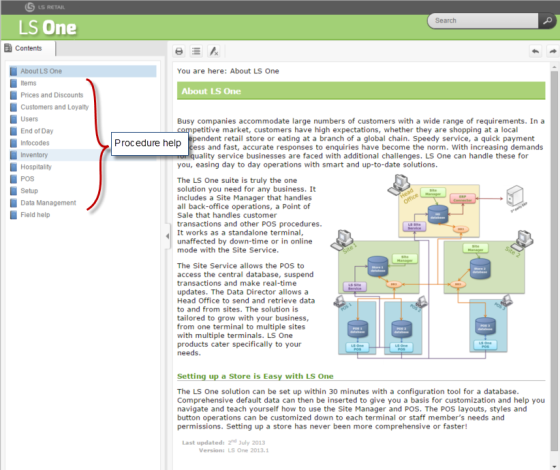
The on-line help for LS One is divided into three parts.
- About LS Onei
- Contains information about latest releases, versions and help
- Procedure help
- Procedural help on how to setup and operate the system. For an example how to configure items, prices and discounts.
- Field help
- The field help lists all fields and settings in LS One. It is organized by view or dialog in the Site Manager. Easiest way to access this help is to press F1 or
 (placed in the top right corner of all views and dialogs) when you have the view or dialog you need help with open.
- The field help lists all fields and settings in LS One. It is organized by view or dialog in the Site Manager. Easiest way to access this help is to press F1 or
 Why do I see help for features that are not visible to me?
The LS One on-line help is provided as a generic reference tool for the LS One platform. The LS One partners can modify and enhance the solution so the on-line help may not be compatible with the solution as configured and implemented for a specific customer.
LS Retail therefore makes no warranties or representations in relation the accuracy or completeness of the LS One on-line help. If the on-line help is not consistent with your version of the solution please refer to your LS One partner or reseller for assistance.

