Store Transfer Receiving Item Dialog
Inventory > Transfers > Orders > Edit receiving order > Edit order line
What is the dialog used for?
- Edit the receiving quantity of a transfer order line.
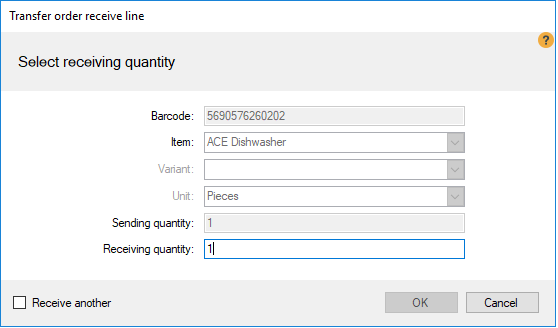
| Fields & buttons | Description |
|---|---|
| Barcode | Displays the default barcode of the item. |
| Item | Displays the item. |
| Variant | Displays the variant, if valid. |
| Unit | Displays the unit of the item. |
| Sending quantity | Displays the sent quantity of the item. |
| Receiving quantity | Enter the receiving quantity of the item. |
| Receive another | If checked, the next item in the order will be displayed in the dialog after pressing the OK button. |
| Reviewed: | December 2017 |
| Version: | LS One 2018 |

