Insert Demo Data
When setting up LS One for training and demonstrative purpose a demo data package can be imported. This package includes all data needed to be able to run all main operations in the POS and Site Manager.
To insert the Demo data package, select Tools in the ribbon, locate the Administration group and select Options.

In the Administration options view, select the Insert default data link on the right hand side of the view. In the Insert default data view, place a check mark in the box next to the Demo data item and click OK.
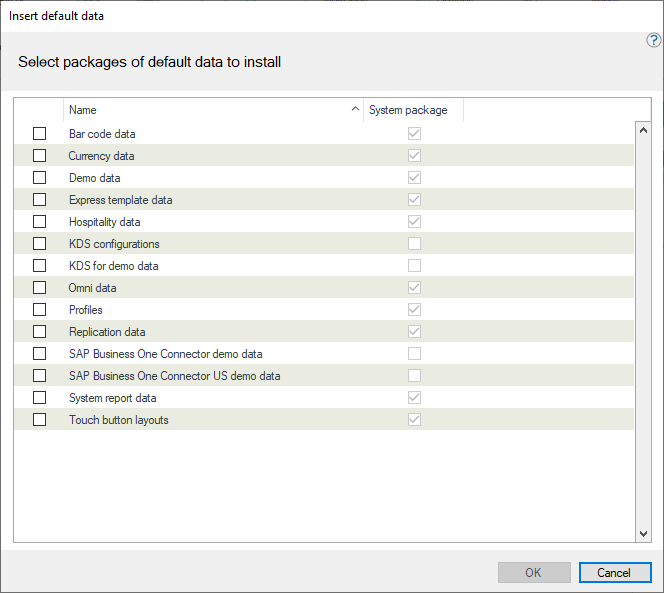
Once you click OK the demo data will take a few moments to load into the database.
Access from the dashboard
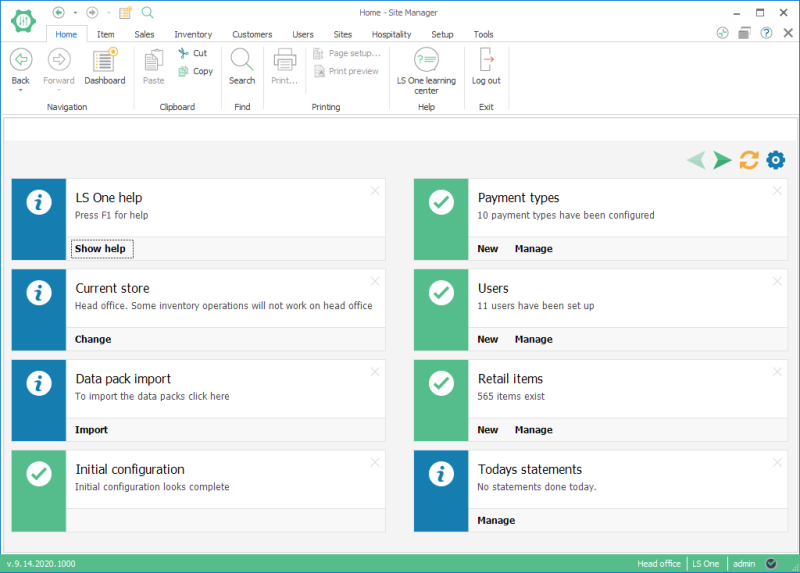
The import demo data functionality can also be reached from the Site Manager Dashboard. The dashboard opens when you first log into the Site Manager and you can also find it in the Home menu in the ribbon.
In the dashboard there is a ticket called Data pack import this ticket has a button Import. Press the import button and the Insert default data dialog will open. See above how to import the data.
| Reviewed: | November 2020 |
| Version: | LS One 2020.1 |

