Terminal settings
After selecting which Hospitality types can be viewed/used in the restaurant, each terminal needs to be set with the hospitality type that can be viewed on the terminal.
To create new terminals in a store, select the Terminals tab and the Add button to open New terminal dialog, then edit it by highlighting the line and selecting the Edit button to open the Terminal View
Go to Store setup > Terminals > Terminals > [select terminal] > Hospitality tab
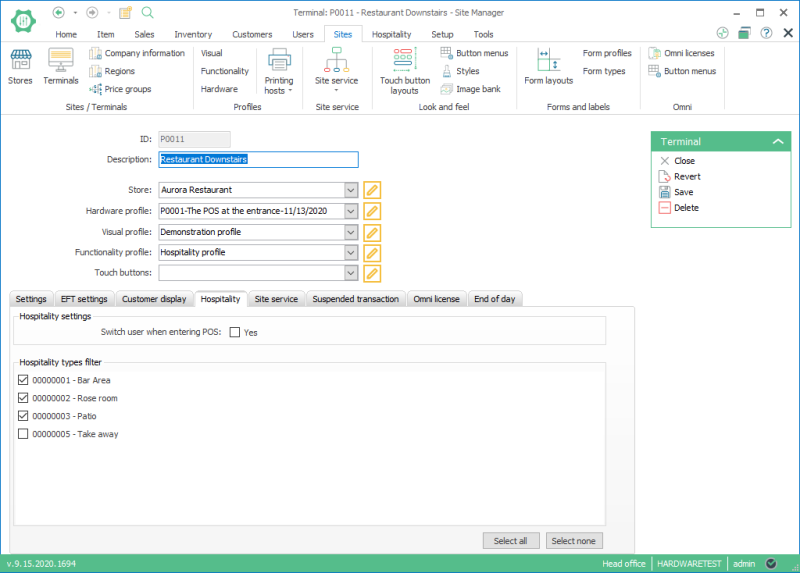
Select the checkboxes next to the hospitality type that you want the terminal to display.
Use the buttons Select all and Select none to make the process of selection faster.
| Last revision: | Novemeber 2020 |
| Version: | LS One 2020.1 |

