Items with Variations Sold on the POS
When an item with variations is sold on the POS, a pop-up window appears with all the valid variations for the active item.
An example from the Demo Data, the LS POS is selling item 40020:
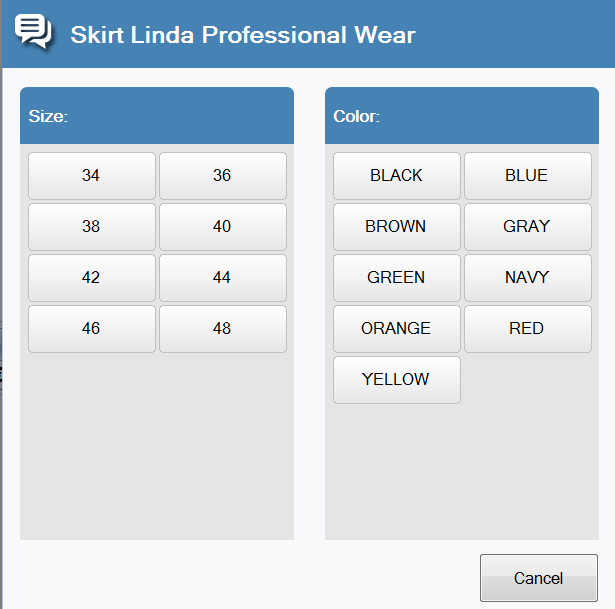
- The pop-up window has the item’s name in the top of the window.
- The valid variation groups are displayed in the window; here they are Color and Size.
- For each variation group one button is displayed for each possibility.
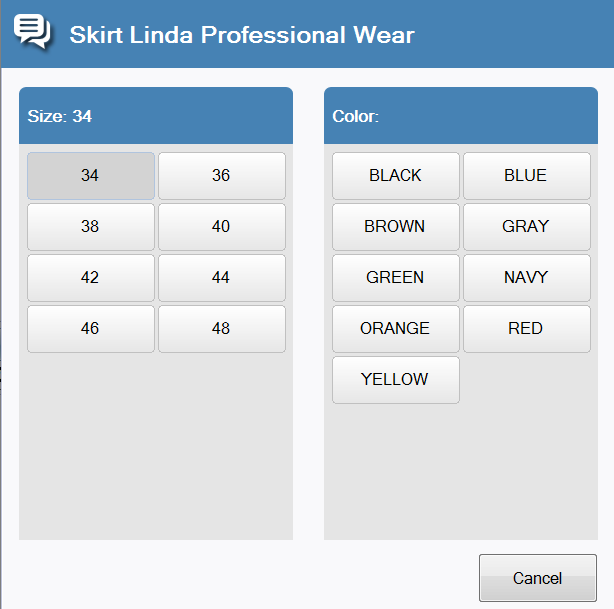
- When one selection has been made, the selected button is highlighted if there is another selection to be made. Otherwise, the item line is created in the receipt panel.
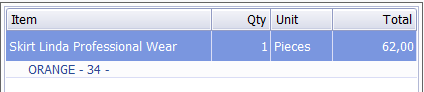
- When the last selection has been made for the variants, the item line is created in the receipt panel and the selected variants for the line are displayed in a new line below the item:

This topic applies to version 2015.1 and older versions of LS One. If you are running a later version please read this.
| Inserted: | 04th December 2014 |
| Version: | LS One 2015 |

