User Groups
Before users are created on the Site Manager, the User groups have to be created. With User groups the permissions in the Site Manager are defined and then it is possible to select user groups for the user.
To open the User groups select Users > [User groups] User groups

- Use New user groups to create a new user group.
- Use User groups to edit and maintain the user groups.
User group:
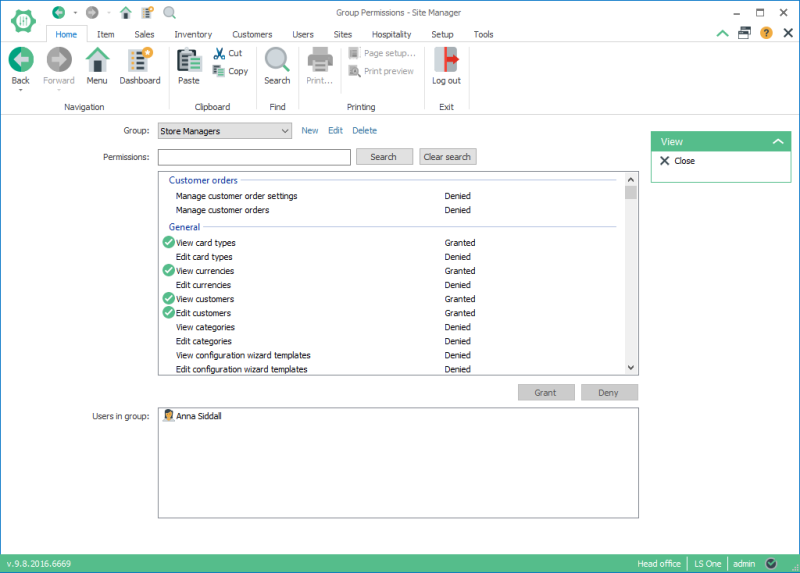
Group: Select the Group that is going to be edited.
Permissions: For all permissions select them and either grant the permission or deny it for the group by using the buttons Grant and Deny. This has to be done for each permission. Permissions that are allowed have a green circle with a white tick, and not allowed have a red exclamation mark.
Users in group: In this box the users in the selected group are displayed. Users are put into user groups when they are edited.
The permissions are categorized into:
- General
- Hospitality
- Inventory
- Item master
- Loyalty permissions
- POS permissions
- Profiles
- Replication
- Reports
- System administration
- User and security management
See also
| Last updated: | 27th October 2016 |
| Version: | LS One 2016.1 |

