User Permissions
In the User view there is a Permissions tab, where there is a list of permissions found on the Site Manager. The permissions available depend on your local settings.
Permissions on the Site Manager
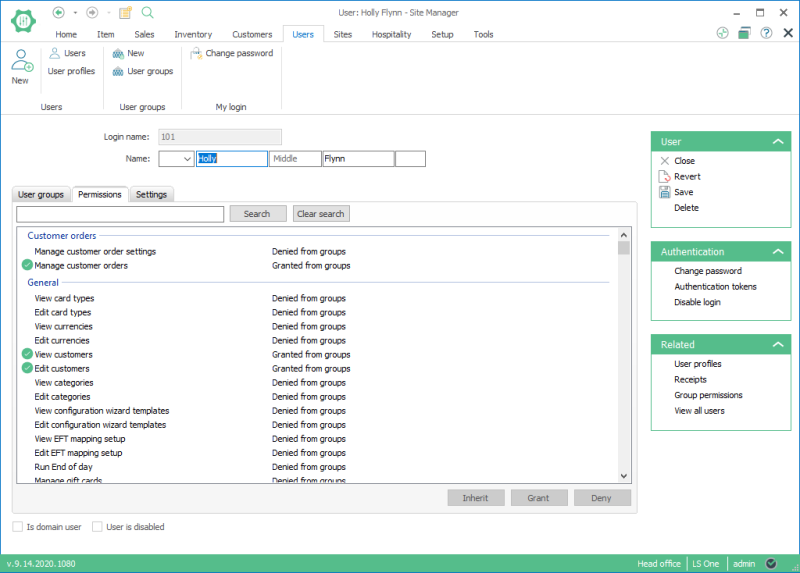
You can grant or deny permissions by highlighting one or multiple lines on the list and clicking buttons: Grant or Deny.
In these cases the message: “Granted” or “Denied” appears in the line.
You can also grant permissions by creating user groups, setting its permissions and then adding users to that group. When you do this, the user inherits permissions set to the group.
In these cases the messages: “Granted from groups” or “Denied from groups” appears in the line.
If, for example, you put a user in a group and then changed their permissions, you can highlight all of the permissions lines and select the Inherit button to restore the user‘s permissions as they are in the user group.
When a permission is denied, a padlock icon appears.
User Permission Denied:

When a permission is granted, a green icon with a white tick inside appears.
User Permission Granted

See also
- Full list of user permissions in User Groups
- Users
| Last updated: | 27th October 2016 |
| Version: | LS One 2016.1 |

