Report library
Here you can select reports to import to your LS One Site Manager. All reports are divided into the following categories:

Below you can download reports. The reports in the library are created for LS One version 2015.2 but since then the data structure has changed, such as the item tables. Therefore not all of the below tables work for the latest versions.
You can test importing any report into your system to see if it works for you, nothing will be destroyed. And if it does
not work you can just remove the report again.
See How to add report for further information on how to import the report to your system.

Have you tested the new Power BI Template? Now we share a free Power BI template for LS One. Read more about Power BI here.
 Comparison reports
| Report: | Description: | Created for version: | Preview: | Download: |
|---|---|---|---|---|
| Sales comparison by month | This report compares sales by months between years and is created just to do a report for only one store at a time | 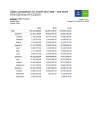
|

|
|
| Sales comparison by store | This report compares sales by months between years and stores. | 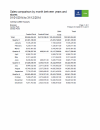
|
|
|
| Sales comparison by month - for item | This report compares sales by months between years for a specific item. | 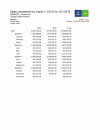
|
|
|
| Sales comparison by retail group - single store | This report compares sales by retail group between years for only one store at a time. | 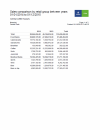
|
|
|
| Sales comparison by retail group | This report compares sales by retail group between years for multiple stores. | 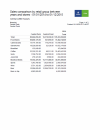
|
|
Item reports| Report: | Description: | Created for version: | Preview: | Download: |
|---|---|---|---|---|
| Item sale by item | This reports lists all items sold over a period of time for summed up for one or more locations. It lists the retail group the item belongs to, the qty sold, total of discounts given and the net amount for each item. | 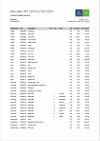
|
|
|
| Item sale by item/price |
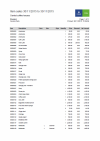
Same as Item sale by item but the it shows one line per price the item has been sold for. So if the price has changed during the period or if the price has been overridden at the POS the report has multiple lines for that item. |
|
|
|
| Item sale by item/price without variants |
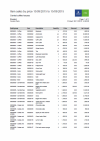
Same as the one above but it does not include columns for the Size, Color or Style and will sum up numbers for the items including all variants. |
|
|
|
| Item sales by hour | This report shows the sales of a selected item by hour over a selected period. | 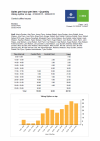
|
|
|
| Item sales and cost per item by retail group | This reports shows a list of all sold items over a selected period and displays the price, cost, discounts and net amount. | 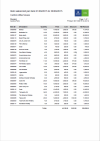
|
|
|
| Item sales by vendor | This report shows total sales for selected vendor over a selected period | 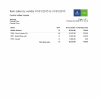
|
|
|
| Item sales most/least sold | This report shows the best/least sold items by quantity or amount | 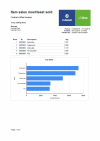
|
|
Sales reports| Report: | Description: | Created for version: | Preview: | Download: |
|---|---|---|---|---|
| Sales by hour | This report shows total sales over a selected period grouped by hour of the day. | 
|
|
|
| Sales by hour by group | This report shows total sales for selected retail groups over a selected period grouped by hour of the day. | 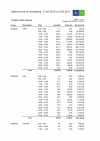
|
|
|
| Sales by retail group | This report shows total sales for selected retail groups over a selected period | 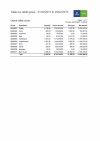
|
|
|
| Sales by terminal | This report shows total sales per terminal over a selected period | 
|
|
|
| Sales by employee | This report shows total sales per employee over a selected period | 2016 | 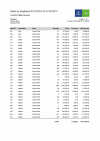
|
|
Financial reports| Report: | Description: | Created for version: | Preview: | Download: |
|---|---|---|---|---|
| Financial report |
This is the standard financial report included in the Site Manager. It shows an overview of all financial transaction over a selected period. See detailed description for all fields here. | 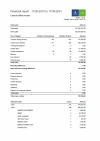
|
|
|
| Financial report - by statement |
This financial reports has all the same fields as the one above but it shows all transactions which are included in a selected statement. | 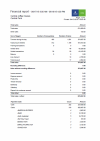
|
|
|
| Financial report -by employee |
This financial reports has all the same fields as the ones above but it shows all financial transactions for a selected employee. | 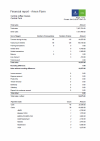
|
|
Customer reports| Report: | Description: | Created for version: | Preview: | Download: |
|---|---|---|---|---|
| Customer ledger - expanded |
This report shows all customer transactions sorted by customers over a selected period. | 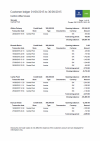
|
|
|
| Customer ledger - expanded - with page brake |
This report shows all customer transactions sorted by customer but each customer starts on a new page over a selected period. | 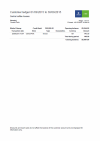
|
|
|
| Customer ledger - single customer |
This report shows all transactions for one selected customer | 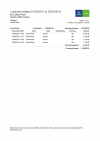
|
|
|
| Customer ledger - overview |
This report shows the opening and closing balance of customers for a selected period. | 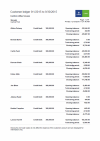
|
|
|
| Charged/paid to customer account | This report shows all invoices and payments but not the balance of the account for a selected periods. | 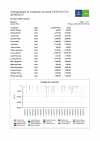
|
|
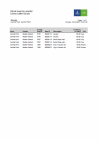
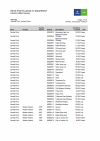
Inventory reports
 Other transactions reports
| Report: | Description: | Created for version: | Preview: | Download: |
|---|---|---|---|---|
| Return receipt listing | This report shows a list of all transactions which includes returns over a selected period. | 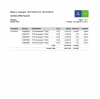
|
|
|
| Issued credit memos | This report shows a list of all issued credit memos for a selected period. | 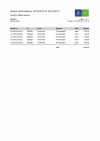
|
|
|
| Gift card sales | This report shows a list of all sold gift cards for a selected period. | 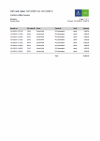
|
|
|
| Sales transactions listing | This report shows a list of all sales transactions over a selected period. | 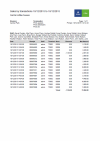
|
|

